 Saasy
Saasy

New Assure Version 5.19
We are pleased to announce the latest version of Assure, full of features designed to enhance user experience and make it easier for schools to...
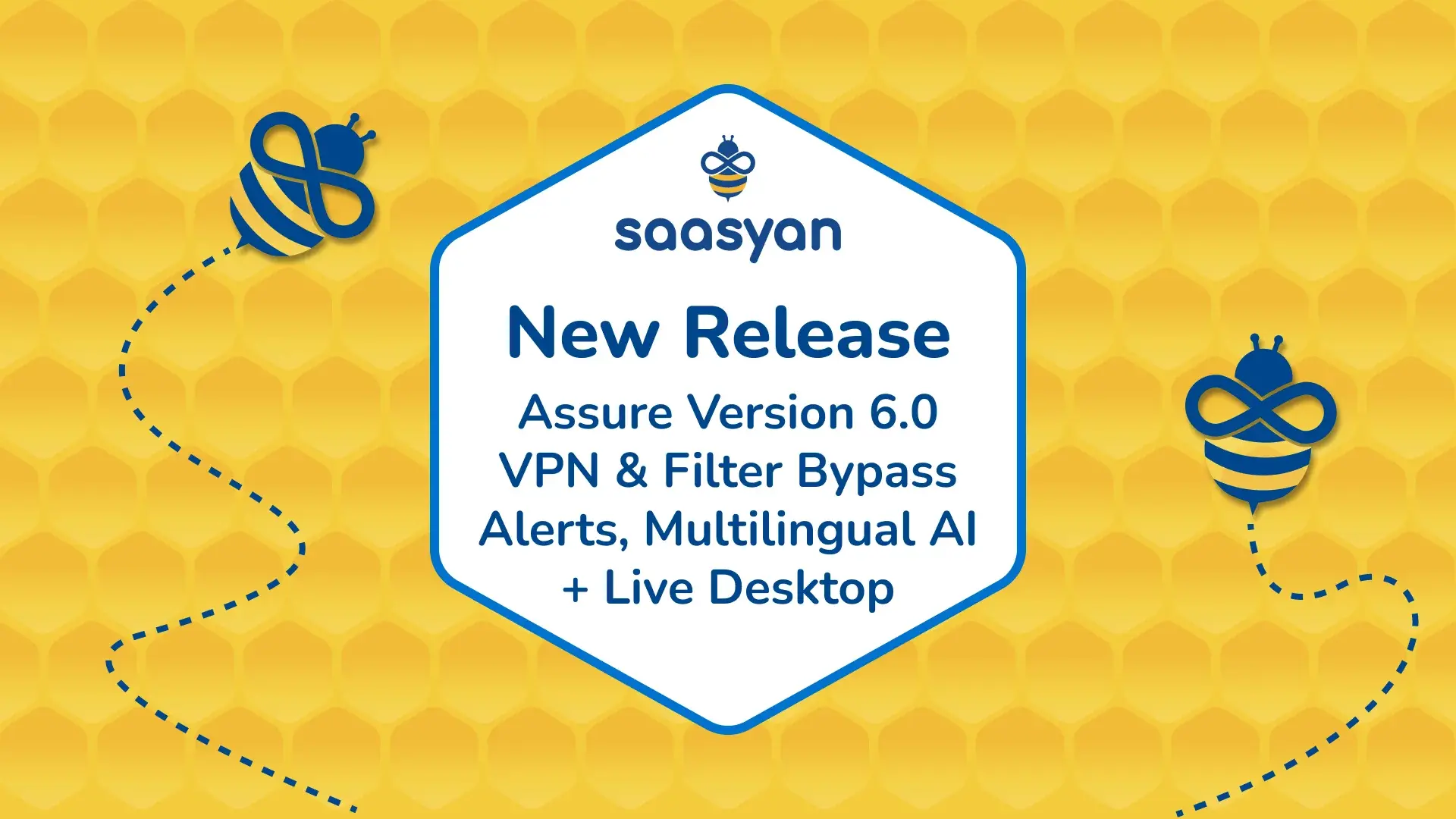
Assure V6.1 launches with a modernised architecture, VPN and filter bypass alerting, multilingual AI safety detection, Live View Desktop for enhanced online safety for students.
Assure V6.1 marks a significant milestone for the platform. Since Assure V5 launched, we have shipped 21 minor releases, growing the platform to include Data Archiving, Assure Central, the On Premises Web Filter, the On Device Web Filter, and the Parent Portal. Each one was shaped by what schools told us they need.
Assure V6.1 builds on that history with a modernised architecture. It brings a set of features aimed squarely at the challenges schools are facing right now, including Live View Desktop, VPN and filter bypass alerting, and multilingual safety alerts.
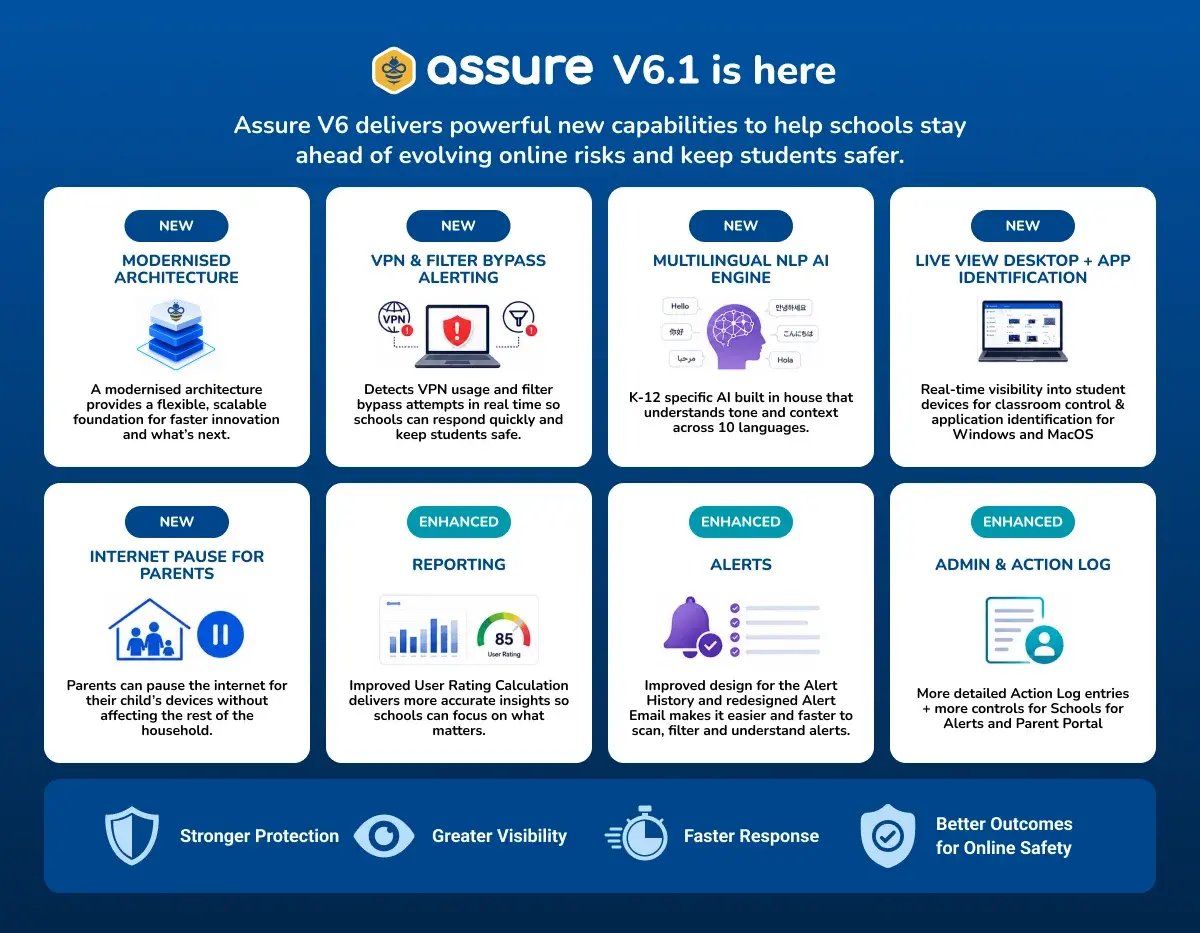
Many products stagnate because the underlying technology is never modernised, and new features end up bolted onto ageing foundations. With Assure V6, we have modernised the core Assure platform architecture. This is not a visible feature, but it is the change that matters most for the future of Assure. It gives our engineering team a modern, flexible foundation to build on, so the next phases of Assure's evolution can move even faster and go even further.
The On-Device Web Filter has received some of the most requested updates in this release.
Live View Desktop is now available for both Windows and MacOS. This enhances classroom controls for teachers, giving them real time visibility into what is happening on student devices directly from their device.
VPN Usage and Filter Bypass Alerting is one of the headline features of V6. As students become more resourceful in trying to get around content filters, Assure now detects and alerts school ICT when a VPN is being used or when a filter bypass attempt is made. This gives schools the visibility they need to respond quickly, rather than discovering bypass attempts after the fact.
Application Identification, also available on Windows and MacOS, allows schools to see exactly which applications are running on a device, adding another layer of insight into student device activity.
Saasyan now manages the upgrade of the On Device Web Filter centrally. Schools no longer need to manually patch or upgrade devices, and every device stays on the latest version, with the newest protections and fixes, without extra work for school IT.
The at risk users widget has been improved, giving school leaders a clearer, more useful view of the students who need attention most as soon as they open Assure. It is a small change on the surface, but it means the dashboard now surfaces genuine risk more effectively, so schools can act sooner.
The User Rating Calculation gauge has been enhanced to improve accuracy. This means reports now reflect a more precise picture of behaviour, making it easier to identify where attention is genuinely needed.
Alerts gains a multilingual AI engine for detecting risk across ten languages, plus a refreshed workflow, new email layout, updated prioritisation, and a redesigned Alert History with a Compact view.
A key addition in this release is the Multilingual NLP AI Engine, built to detect concerning language across a wide range of languages, including English, Mandarin, Korean, Arabic, Cantonese, Japanese, Spanish, French, German, and Vietnamese. This allows Assure to identify risk regardless of the language a student is using, reflecting the linguistic diversity of school communities today.
This capability distinguishes Assure's approach to student safety. The engine is a K-12 specific AI model, developed in house for school environments. It analyses the tone and context underlying a student's online activity, rather than matching isolated keywords. This context aware approach delivers best in breed recall, precision, and accuracy, resulting in fewer false positives and alerts schools can rely on.
Student privacy is a core design principle of the engine. Saasyan's K-12 specific AI model is built and hosted in house. This means student data remains within the school's secure environment and is never sent to third party AI services or used to train public AI models. This differs from approaches that extract keywords from student activity and send them to a general purpose AI for interpretation, where data can leave the school's control and visibility over its storage and use is reduced. Saasyan's AI engine is fully compliant with the Australian Privacy Principles and applicable student privacy legislation, giving schools transparent policies and greater control over their data.
Alerts have also had a practical refresh in this release. Alert emails now use a new layout that is easier to scan, so staff can take in the important details at a glance. In the Alert Form, alert prioritisation has changed, helping schools focus on the alerts that matter most first. Assure's Alert History view has also been redesigned to be more user friendly, and now includes a new Compact view, making it faster for schools to scan, filter, and understand past alerts.
Schools now have more control over how alerts and the Parent Portal work for their community. Schools can choose which categories can be used to create category alerts, and can apply Saasyan recommendations as a starting point rather than configuring everything from scratch. In the same way, schools can choose which categories are visible to parents on the Parent Portal, again with the option to apply Saasyan recommendations.
The Action Log now provides more descriptive and detailed entries, giving schools clearer context when reviewing what changes have been made and by whom.
Families gain a new option with the Internet Pause feature. Parents can now pause internet access for their own child's devices without affecting the rest of the household, giving them a simple way to manage screen time without disrupting everyone else at home.
Schools also gain more control over what families see. Schools can choose which widgets appear on the Parent Portal dashboard, or hide the dashboard completely, and can choose to hide the Web Access Rules tab from the Parent Portal entirely. Together with the category visibility settings above, this gives schools a clear say over what parents can view and access through the portal.
Assure V6 is as much about what is underneath the product as what is on the surface. The modernised architecture sets Assure up for faster, more ambitious development in future releases, while features like VPN and filter bypass alerting and the multilingual NLP engine address the challenges that schools face right now. We are looking forward to building on this foundation in the releases ahead.
We are pleased to announce the latest version of Assure, full of features designed to enhance user experience and make it easier for schools to...
We’re excited to announce Assure Version 5.20, a major update designed to enhance online safety, improve monitoring accuracy, and streamline system...
With the 2023 school year already well underway, we could not be more excited to announce the latest update to Assure, filled with highly anticipated...